     
|
This article is about content exclusively available in the version on Steam, Xbox, PlayStation, Nintendo Switch, Epic Games, Stadia. |
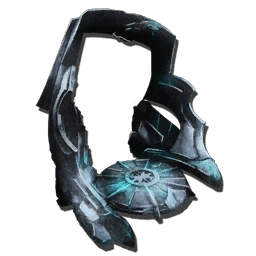
| “ | Enables you to generate clones of your creatures! | „ |
 Crystal Wyvern Queen (Alpha)
 Dragon (Alpha, Alpha)
 Manticore (Alpha)
 Ragnarok Arena
  (Alpha)
 Rockwell (Alpha)
Unlock Tekgram
cheat unlockengram "Blueprint'/Game/PrimalEarth/CoreBlueprints/Items/Structures/BuildingBases/PrimalItemStructure_TekCloningChamber.PrimalItemStructure_TekCloningChamber'"



 Element
 Black Pearl
The Tek Cloning Chamber is an end-game tool in ARK: Survival Evolved. It is used to duplicate creatures.
Usage
The Cloning Chamber is powered by a Tek Generator. Additionally, Element Shards are needed to clone creatures. The amount of Shards needed for cloning a creature depends on the creature type and creature level.
Cloning time ranges from a minimum of 40 minutes to a maximum of 4 days (times are approximate). Cloning time also depends on the type and level of the creature you want to clone. The cloning process is fully automatic and does not require any player actions during any part of the process, except at the start. You just need to place the creature on the platform. The "Clone..." options show the required amount of Element Shards. Once the shards are placed in the cloner's inventory you can start the process with the same option.
The inventory holds up to 48000 Element Shards, allowing Dinos up to level 450 to be cloned.
Formulas
The global multipliers can be found in the blueprint /Game/PrimalEarth/Structures/TekTier/TekCloningChamber.TekCloningChamber_C, the values per creature are located in their blueprint (..._Character_BP_C).
Cloning Costs
The Cloning Cost is calculated the following way:




| Variables | Description | Value |
|---|---|---|
| ElementCostPerLevel | Multiplier | different for each creature |
| ElementCostPerLevelGlobalMultiplier | constant global multiplier | 5500 |
| CharacterLevel | current level of the creature | whatever your current creature level is |
| BaseElementCostGlobalMultiplier | constant global multiplier | 2500 |
| BaseElementCost | Multiplier | different for each creature |
Cloning Time
The Cloning Time is calculated the following way:

| Variables | Description | Value |
|---|---|---|
| Clone Cost | Result of the previous formula | different for each creature |
| TimePerElementShard | constant global multiplier | 7 |
| BabyMatureSpeedMultiplier | Higher number decreases (by percentage) time needed for baby dino to mature | 1 (on official without events running) |
Calculator
You can check the cost and time you will need to clone your creature with the following table:
| Creature | |
| Level | |
| BabyMatureSpeedMultiplier *) | |
| Element Shard Cost Per Level | |
| Base Element Shard Cost | |
| Clone Cost | Element Shards |
| Clone Time | seconds = |
*) BabyMatureSpeedMultiplier can be configured in the Server configuration.
Notes
- The Tekgram is unlocked by killing the
 Dragon (Alpha),
  Manticore (Alpha),
  Rockwell (Alpha), or
  Crystal Wyvern Queen (Alpha).
 - Cloning a creature will set the Imprinting progress to 0%, but the cloned creature will still be imprinted to the same player as the original (the Imprinted Status Effect will still be present, but at 0%).
- If the original creature was spayed/neutered, so will the clone.
- If the original creature had been mutated by
 Mutagen
  at least once, the clone will also have been mutated as well.
- Be wary that cloned creatures that had been bred will still not transfer its mutated stat over to its offspring.
- If the
 Tek Generator turns off, the cloning process is cancelled and needs to be fully restarted. All
  Element Shard used to start the prior cloning process will be lost and the creature displayed on the cloning platform will be removed from the game.
 - There are several creatures that can't be cloned despite having a lower level than 450. This is due to the cloning costs exceeding 48000 Element Shard for those creatures.
- Cloning introduced a way to replicate creatures that could only be tamed but not bred, the
 Karkinos, as well as
  Basilisk,
  Griffin,
  Rock Elemental and
  Dung Beetle and the reaper king (the obtaining from the queen technically isnt breeding).
 - The
 Titanosaur does not fit into the chamber and thus cannot be cloned.
  Tek Stryder cannot be cloned under any circumstances.
- You can clone all ride-able underwater creatures, this requires the chamber be placed underwater.
- Cloning Chamber is 7 x 8 in size.
Bugs
- When the generator powering the Tek Cloning Chamber has both Element and Element shards within it there is a bug that will cut the power for a split second when the generator switches between Element and Element Shards. This will cause your cloning process to stop. Avoid this by using one or the other in the generator, not both.
- If you change your tribe name during the cloning process the cloning will stop
Painting and Color Regions

The Cloning Chamber is not currently paint-able, however this object may be re-mapped to include paint regions in a future update.
For more information on Paint Regions and how to use them, please view the  Dye,
Dye,  Paintbrush, or
  Spray Painter pages.
Changelog
| Patch | Changes |
|---|---|
| 257.0 | Cloning Chamber is added to the game. |
| 338.23 | Expanded the Cloning Chamber register range by 3x |
| ||||||||||||||||||||||||||||||||||||||||||||||||||||||||||||||||||||||||||||||||||||||||||||||


